LinkedIn Post Formatting: Best Practices for 2025
You've spent hours crafting the perfect LinkedIn post. You have a killer insight, a compelling story, and a clear call to action. You hit "Post," and then... crickets.
What went wrong? Your content might be great, but if it looks like a solid wall of text, people will scroll right past it. On a platform with over two million posts published daily, formatting isn't just about aesthetics; it's about survival.
Getting your formatting right is one of the easiest ways to make your LinkedIn posts impossible to ignore in 2025. Let's look at the simple, practical best practices that will make your content stand out and get the engagement it deserves.
TL;DR: LinkedIn Formatting Quick Guide
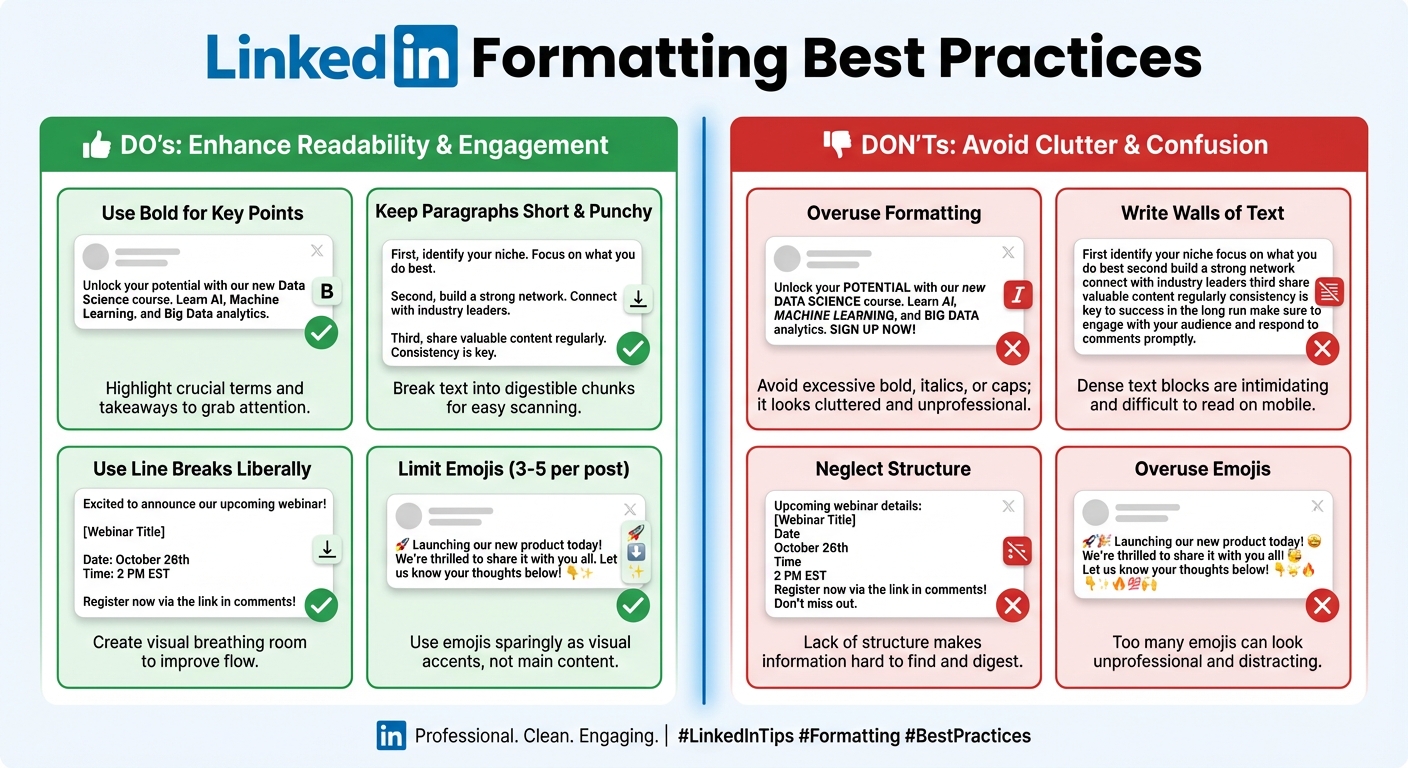
| Do ✅ | Don't ❌ |
|---|---|
| Keep paragraphs to 1-2 lines max. | Write dense walls of text. |
| Use a strong, intriguing hook in the first 2 lines. | Bury your main point. |
| Use bullet points (•, ✓, →) for lists. | Over-format with too much bold or ALL CAPS. |
| Add 3-5 relevant hashtags at the end. | Put external links directly in the post body. |
| Use emojis strategically to add tone. | Use excessive or irrelevant emojis. |
| Embrace white space for scannability. | Forget to preview how your post looks on mobile. |
Why Formatting Is a Game-Changer for Engagement
LinkedIn's algorithm is smart. It doesn't just measure likes and comments; it watches how people behave. When someone stops scrolling to read your post, that's a powerful signal called "dwell time." Good formatting encourages people to stick around, which tells the algorithm your content is valuable.
In fact, posts formatted for readability can get up to three times more engagement. With around 60% of users browsing on mobile, scannable content is non-negotiable. Short paragraphs, clear breaks, and visual cues make your post feel less intimidating and more inviting on a small screen.
Proper formatting does more than just please the algorithm. It shows professionalism and respect for your reader's time. It guides them through your story, making your message clearer and more impactful.
The Anatomy of a Perfectly Formatted Post
Think of formatting as the body language of your writing. Here’s how to make it work for you.
1. Start with a Killer Hook
You only have two lines before LinkedIn hides the rest of your post behind a "...see more" link. Those first two lines are your entire sales pitch. Don't waste them.
- Wrong: "I've been thinking a lot about leadership lately."
- Right: "Most leadership advice is wrong. Here's why."
Start with a bold statement, a surprising statistic, or a relatable story that creates curiosity.
2. Embrace White Space
This is the single most important formatting rule. Keep your paragraphs to 1-2 lines max.
Short lines create a natural rhythm and make your post feel like a conversation, not a textbook. They give readers visual breathing room, which is especially important on mobile. If a sentence can stand on its own, let it.
3. Use Lists and Bullet Points
LinkedIn doesn't have a built-in list-making tool, but you can easily create your own. When you're sharing tips, steps, or key takeaways, use symbols to create a list.
- Use dashes (
-) - Or checkmarks (
✓) - Even arrows (
→)
This breaks up your text and makes information much easier to digest. Just remember to add a line break between each point for clean spacing.
4. Use Emojis (But Don't Go Crazy)
Emojis are great for adding personality and acting as visual signposts. A well-placed emoji can add emotional context or draw attention to a key point.
- Use them to start a section:
📌 Key Takeaway: - Use them to add tone:
This strategy actually worked 🔥
Just be strategic. One or two relevant emojis are effective. A dozen is distracting and can look unprofessional.
5. A Note on Bold and Italic Text
You've probably seen posts with bold or italic text. LinkedIn doesn't offer this feature natively. People use third-party Unicode text converters to create these styles. While it can be effective for emphasizing a word or two, use it sparingly. Overusing Unicode characters can make your post harder to read, especially for people using screen readers.
Common Formatting Mistakes That Kill Your Reach
It's just as important to know what not to do. Avoid these common traps that signal low-quality content to both readers and the algorithm.

- The Wall of Text: The fastest way to get someone to scroll past your post. Always break up your paragraphs.
- Putting Links in the Post: The LinkedIn algorithm wants to keep users on the platform. Placing an external link directly in the post body can significantly reduce your organic reach. Always put links in the first comment.
- Excessive Hashtags: Stick to 3-5 highly relevant hashtags at the end of your post. More is not better.
- Over-formatting: When everything is emphasized, nothing is. Don't use ALL CAPS, bold every other word, or end every sentence with five emojis.
Your Formatting Makes a Difference
Formatting isn't a magic bullet, but it's a powerful tool in your content arsenal. It turns a monologue into a conversation and makes your ideas accessible to a wider audience.
By focusing on readability and a clean structure, you signal to both your readers and the LinkedIn algorithm that your content is worth paying attention to. So before you hit "Post" next time, take a minute to review your formatting. It might be the one thing that makes all the difference.
Ready to make formatting even easier? Our Markdown to LinkedIn Converter lets you write in clean, simple Markdown and instantly converts it to a perfectly formatted LinkedIn post. Give it a try!
Resources
- Hootsuite: How the LinkedIn Algorithm Works in 2025
- Cleverly: 9+ LinkedIn Post Formatting Tips to Boost Engagement
- Reply.io: The ONLY Guide to LinkedIn Post Formatting That Gets Noticed
- SalesRobot: 42 LinkedIn limits in 2025
Enjoyed this article?
Share it with your network
Related Articles
LinkedIn Strikethrough Text: Is It Possible?
Ever wanted to cross something out in a LinkedIn post for effect? This guide shows you how to generate strikethrough text and when you should (and shouldn't) use it.
How to Add Line Breaks in LinkedIn Posts (and Stop Them From Disappearing)
Tired of your carefully formatted LinkedIn posts turning into a wall of text? This guide shows you how to add and preserve line breaks for clean, readable content.
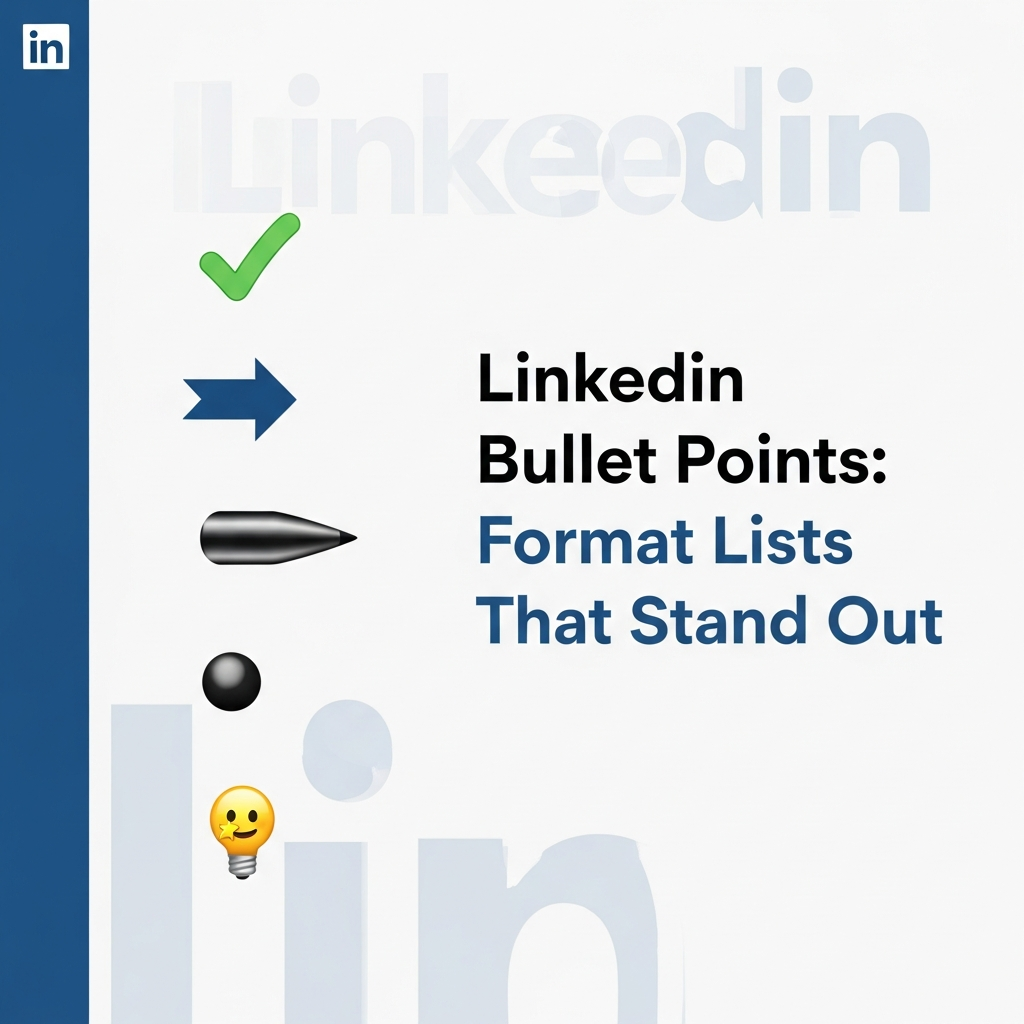
LinkedIn Bullet Points: How to Format Lists That Stand Out
Tired of your LinkedIn posts looking like a wall of text? This guide shows you how to use bullet points to make your content scannable, engaging, and professional.